


How to create a professional website without a fancy web design degree.
Updated: May 18
Creating a professional website for your business is now more accessible than ever with the build-a-website style website platforms such as Wix, Squarespace and GoDaddy, to name a few.
I’m going to break down the 5 most important elements, in my opinion, that will help you create a professional website without studying every YouTube video going on web design!

Blog contents:
Which platform should I use?
How do I combine colours?
Which fonts should I use?
How can I make my website easy to navigate?
How do I get my point across?
Bonus content: Utilising the SEO checklist and accessibility checklist in Wix.
Which platform should I use to create a professional website?
Ok, if you’ve read any of my other blogs, you will know by now that I am an advocate for the Wix platform.
I have been using Wix for a few years now, and I have built my website and all my clients’ websites using Wix.
But, before I get into why I believe Wix is a great shout for your website, let’s take a look at some of the available options:
WordPress
Pretty much the gold standard of web building.
It has a lot of capabilities and plenty of plug-in options so that you can develop and enhance your website as you grow.
Shopify
This is an excellent option if you have a shop and if you will be selling products online.
Squarespace, GoDaddy, Ionis
I’ve lumped these together because I don’t want to repeat myself for each site.
All of them are very similar to Wix and offer drag-and-drop capabilities and similar features throughout.
Now, if you are a small to medium-sized business owner who wants to be fully in control of your website and you don’t want to deal with the massive learning curve that comes with WordPress, then you’re probably going to want to avoid it.
The main reason I use Wix and recommend the platform to my clients is its ease of use.
I realised after chatting with some business owners that they were frustrated that they couldn’t make basic changes to their sites because they were tied to a web designer or that they didn’t have the tech know-how to do it themselves.
Included in all of my website packages is a thorough walk-through of the completed site to show my clients how Wix works, how they can make edits themselves, and I explain some of the main features they will need.
Basically, Wix is the website version of Canva, only better.
There are hundreds of templates you can choose from, or you can design a site completely from scratch and simply drag and drop the elements you want on each page.
Another trend I’ve noticed is entrepreneurs moving away from having too many third-party apps when they could have all of those functionalities all under one roof.
For example, if you want to create a mailing list, Wix has a built-in email marketing function with various price points depending on your needs. So why bother paying for a third-party app when you can achieve the same thing from your Wix package?
Finally, I just want to say a quick word on the other platforms that are similar to Wix.
When it comes to choosing between them, more often than not, it comes down to pricing.
So my advice would be to check what built-in tools are available for each platform and what the additional costs would be to include them if they’re not available.
I know Wix regularly has 50% off sales, which is worth factoring in too.
Ultimately, there are pros and cons to all of these platforms, so the final decision will be based on ease of use, price point and functionality.
Now, let’s get into the design elements and best practices that will help you create a professional website.
How do I combine colours?
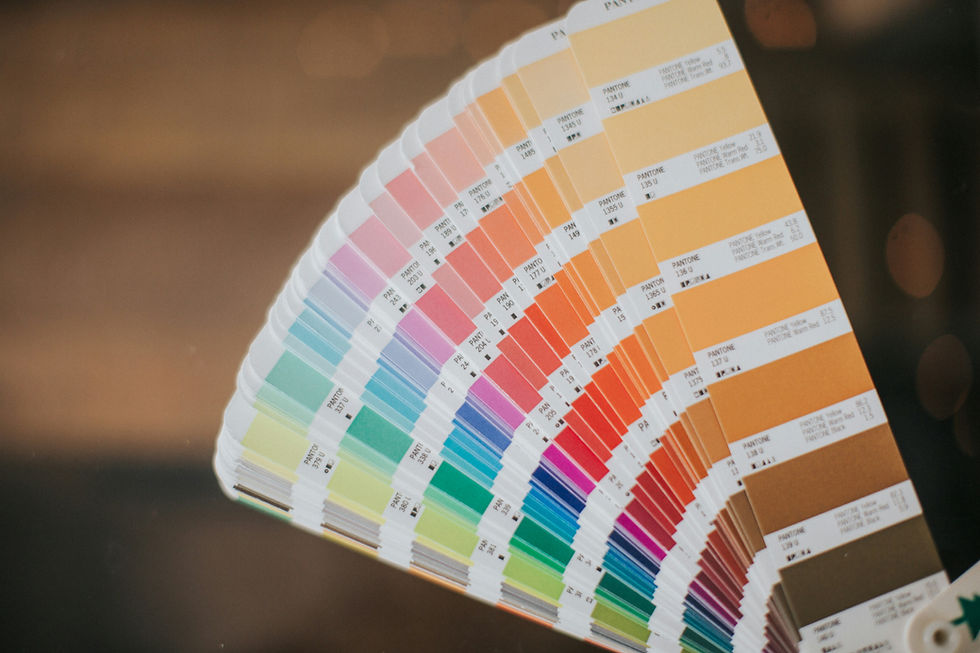
The general rule of thumb for combining colours on your website is to choose 3 main colours.
Have you heard of the 60/30/10 rule?
Well, I’ve got to admit I hadn’t heard of that specific rule until fairly recently, even though I had been implementing it already to a certain degree on my designs; however, this rule provides clarity when it comes to choosing a colour palette.
So basically, your website should have 60% of the dominant colour, 30% for a secondary colour and 10% for an accent colour.
Remembering this rule will guide you to create a more cohesive and elegant design, resulting in a much more professional-looking website.
Which fonts should I use?
Much with the colour palette, you don’t want to have too many fonts, as that can create a disjointed and incoherent design.
Once again, you don’t want any more than 3 fonts on your website.
One should be for headings, one for general text throughout, and you could also add a script or handwriting style font for any accents or more personal text; however, this is not strictly necessary if you choose a font which you can italicise and bolden (highly recommended).
If you’re struggling to choose colours and fonts for your website, you could hire a brand expert to guide you; they can also help with your personal brand.
If that’s not possible, then check out websites like Canva and Coolors.
How can I make my website easy to navigate?
A professional website should be easy to navigate, from the menu bar to the links on the pages.
Think about what you offer and what your ideal client is looking for; that will help you to create your menu items.
A standard menu bar would normally include an about me page, services page and a contact page. Of course, there are optional extras such as a resources page, freebies and a blog.
Don’t clutter the menu bar and avoid having too many items so the user doesn’t have to click “see more” to navigate, because chances are they won’t.
Easy navigation isn’t just about the menu; it’s also about how you link pages together.
Any clickable buttons you add to a page that direct the user to another area of your website need to make sense.
For example, I wouldn’t add a link to my about me page on my services page because hopefully the user has been directed there before they get to the products or services you offer.
I might, however, want to add a link to the contact me page to move the user towards a conversation.
Lastly, when it comes to navigation, do not be tempted to add too many unnecessary pages.
It can become too easy for the user to get lost on your website and lack the guidance needed to move them from being a website user to a customer.

How do I get my point across?
Part of creating a professional website is being clear and concise when it comes to explaining your services or products.
As soon as someone lands on your website, they should instantly be able to tell what you do.
Each of your headings needs to be impactful and explain what it is you do or offer (this also helps with SEO, search engine optimisation)
A key tip for writing good copy (the text on the pages) is to always refer back to your ideal client.
Ask yourself these questions: What can you do for them? Why does someone need your services? What problem are you solving?
Of course, you should talk about yourself and let your next potential customer know why you are the best person for the job, but ultimately, it has to resonate with them; they need to understand why your specific experience or style will suit them.
This can be challenging to do, so if you’re having a hard time, why not hire a copywriter to do it for you? If that’s not an option, you can use ChatGPT. Please, though, do not copy and paste what ChatGPT spews out; you MUST make it sound like you.
I haven’t forgotten, I promised bonus content! So here it is:
If you want to create a professional website, you should implement everything I have mentioned above, but you also need people to land on your website to see how elegant and professional it looks, right?!
This is where SEO comes in, that’s Search Engine Optimisation, basically how Google finds you (other search engines are available!)
I’m not going to get into SEO strategy right now, and I don’t claim to be an expert either, but having a basic understanding will serve you well.
Additionally, the Wix platform has a handy SEO checklist included in its premium packages, which will help you implement better SEO across your website.
Another cool feature is the accessibility wizard, which guides you through ways to improve your website’s accessibility for users who have specific access needs.
Depending on your country’s laws, it may be a legal requirement to make sure your website is fully accessible and compliant with those laws, so it's a great tool to have available.
Still think you need a degree in web design to design a website?
I’m pretty confident that if you apply everything I have mentioned, you will be able to create a professional website in no time!
If you’re still not too sure and need a helping hand, then I’ve got a couple of custom website design packages that might be what you need to get started, and remember, included in all of my packages, you get a personalised 1-2-1 walk-through of how to use Wix and your website.


Comments